
TWITCH DROPS
How do Twitch Drops work?
LINK
Link your Twitch account to your Guild Wars 2 account.
WATCH
Watch Drop-enabled Guild Wars 2 Twitch livestreams and fulfill the event conditions to earn Drops.
CLAIM
Claim dropped rewards in your Twitch Drops inventory.
ENJOY
The next time you play Guild Wars 2, your rewards will be sent to you through the in-game mail.
Guild Wars 2 Twitch Drop Campaigns
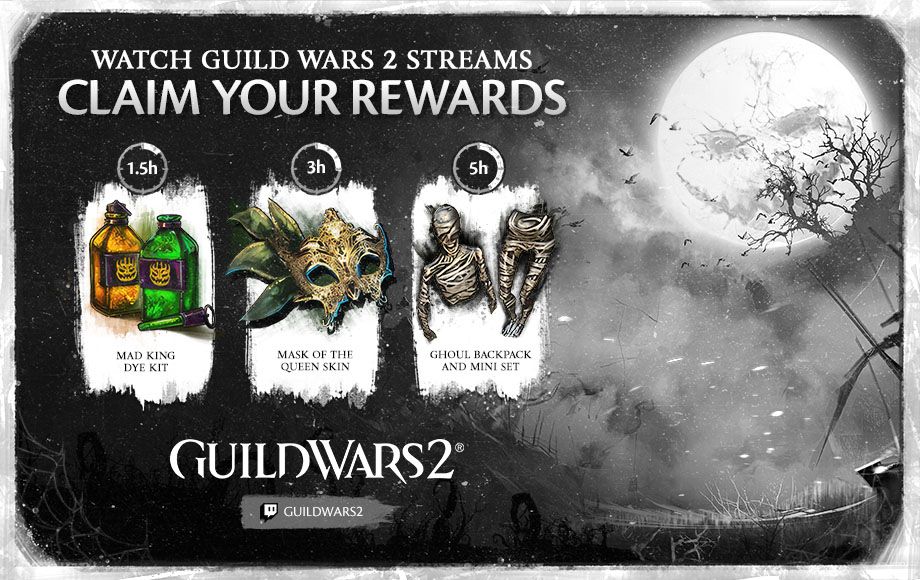
SHADOW OF THE MAD KING
To celebrate the Shadow of the Mad King we are doing Twitch Drops!
From October 15 at 9:00 a.m. PT until October 18 at 11:59 p.m. (UTC-7), you'll be able to earn an in-game reward for Guild Wars 2 by watching any Twitch channel broadcasting Guild Wars 2.
Reward: Mad King Dye Kit, Mask of the Queen Skin and Ghoul Backpack and Mini Set
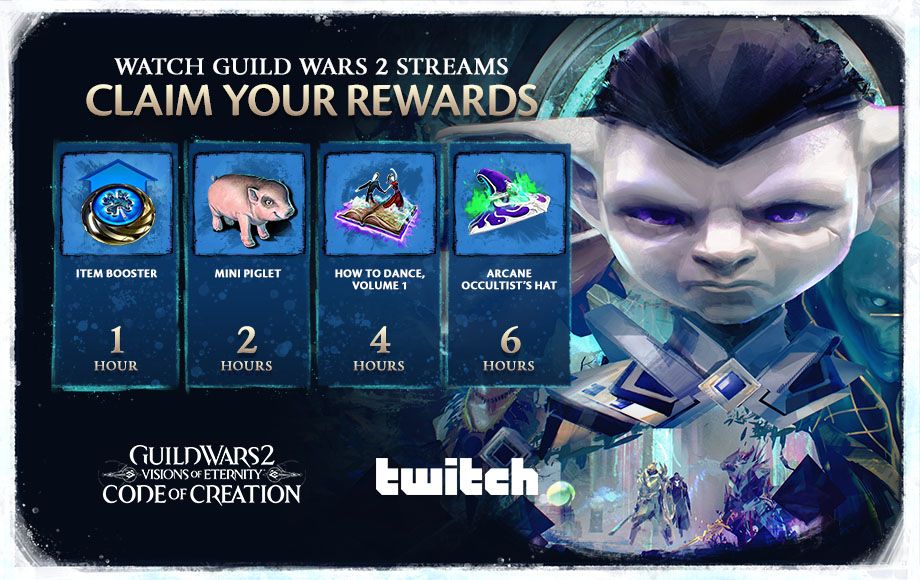
CODE OF CREATION
The final adventure is here for Guild Wars 2: Visions of Eternity - Code of Creation. Let's celebrate it with Twitch Drops!
From September 15 at 9 a.m. Pacific Time (UTC-7) to September 20 at 11:59 p.m. (UTC-7), you'll be able to earn an in-game reward for Guild Wars 2 by watching any Twitch channel broadcasting Guild Wars 2.
Reward: Item Booster, Mini Piglet, How to Dance, Volume 1 and Arcane Occultist’s Hat
ACCOUNT LINKING
Follow these steps to activate Twitch Drops for Guild Wars 2 on ArenaNet or Steam. Once you link your Twitch account, any newly claimed Twitch Drops will be automatically delivered to your Guild Wars 2 account.
- LOG IN
Log in with your ArenaNet account.
Click the Connect button on the application page.
Log in to your Twitch account.
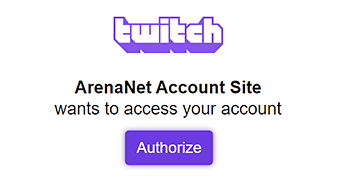
Log InClick Authorize
Clicking Authorize will allow you to link your ArenaNet and Twitch accounts.
Watch any Drops-enabled Guild Wars 2 stream.
Fulfill event conditions and claim Drops in your Twitch Drops inventory.
Check your in-game mail for your reward.
FAQ
-
What are Twitch Drops?
Drops grant in-game rewards for watching the content and channels you love! Each Drop has a watch-time requirement set by the game developer. As long as you are watching a participating channel, your time will be counted toward earning the Drop and the associated reward. You can check your progress at any time by opening up the profile menu and looking under the Drops menu while you are on a channel or by visiting the Drops inventory page. -
When will Twitch Drops be available?
You can check our current campaign and rewards by scrolling up in the Guild Wars 2 Twitch Drop Campaigns section. We will periodically introduce new campaigns that will have different lengths and watch-time requirements. -
How can I be part of a Drops Campaign?
We are currently holding two types of campaigns: those exclusive to the official Guild Wars 2 channel and ArenaNet partners who stream Guild Wars 2, and those totally open to any content creator streaming Guild Wars 2. Keep an eye on our official blog for more information about upcoming campaigns. -
How will I receive my Guild Wars 2 in-game items?
Once claimed from your Twitch Drops inventory, you will receive the items from the in-game mail system. -
I did not receive my item. Where can I get assistance?
If you did not receive your item, first check that your Twitch and Guild Wars 2 accounts were properly linked. Then, check that you have claimed the item in your Twitch Drops inventory. If you have fulfilled both of these conditions and you have still not received your Drop, please contact support@arena.net. -
I did not receive Twitch Drops after watching the stream. Why?
You may have not properly linked your Twitch and Guild Wars 2 accounts, claimed the Drop in your Drops inventory, or watched the stream for long enough to fulfill the viewership requirements. Please double-check all of these factors before contacting support. -
Can I receive a reward multiple times?
No, all Guild Wars 2 Twitch Drops can be received only a single time per linked account. -
Will you be adding more rewards for watching Guild Wars 2 streams on Twitch in the future?
We plan on running regular Guild Wars 2 Twitch Drops campaigns in the future. Keep an eye on this site and the official Guild Wars 2 blog for more information!